How to build a research agent that actually reads its sources
Most research agents skim. Here is the reading layer done properly: clean text, provenance, deduplication, a token budget and honest failure handling.
Everyone is shipping agents this month. A large share of them are research agents in one form or another: take a question, find sources, read them, write an answer with citations. The finding and the writing get most of the attention. The reading, which sits in the middle, is usually one line: fetch the page, strip some tags, paste it into the prompt.
That line decides more about the quality of the answer than the prompt does. An agent that reads badly cites pages it never really read, pays for navigation menus and cookie banners, reads the same article twice under two URLs, and quietly answers from nothing when a source fails. This post builds the reading layer properly, in about 50 lines of Python, and shows real output from a run.
What "reading properly" means
Five things, each of which the code below does:
- Read clean text, not HTML. The model should see the article, not the page around it.
- Keep provenance. For every source, keep the canonical URL, the title and when it was read. A citation is only as good as its link.
- Read each document once. The same page reached through two URLs is one source, not two.
- Stay inside a budget. Decide how many tokens of reading an answer may cost, and stop adding sources at that line.
- Fail visibly. A source that could not be read is left out and logged, never silently replaced by nothing.
The code
This uses the Lyrenth API, which returns every page as an AIDocument: Markdown content plus the source, identity and token economics of the page. You need an API key from the quickstart; the free tier covers this example many times over.
import os
import requests

API = "https://api.lyrenth.com/v1/aidocument"
HEADERS = {"Authorization": f"Bearer {os.environ['LYRENTH_API_KEY']}"}


def read_source(url):
    """Read one page as an AIDocument. Returns None if it could not be read."""
    r = requests.post(API, json={"url": url}, headers=HEADERS, timeout=60)
    if r.status_code != 200:
        body = r.json()
        # A failed read explains itself in "message"; "error" is the short code.
        reason = body.get("message") or body.get("error", "")
        print(f"skip {url}: HTTP {r.status_code} {reason}")
        return None
    doc = r.json()
    return {
        "url": doc["source"].get("canonical_url") or doc["source"]["url"],
        "title": doc["identity"].get("title", ""),
        "fetched_at": doc["source"].get("fetched_at"),
        "text": doc["content"]["markdown"],
        "tokens": doc.get("economics", {}).get("output_tokens_approx", 0),
        "raw_tokens": doc.get("economics", {}).get("raw_html_tokens_approx", 0),
    }


def gather(urls, token_budget=30_000):
    """Read every source once, drop duplicates, stay inside a token budget."""
    seen, sources, used = set(), [], 0
    for url in urls:
        s = read_source(url)
        if s is None:
            continue
        if s["url"] in seen:
            print(f"duplicate: {url} is {s['url']}")
            continue
        if used + s["tokens"] > token_budget:
            print(f"over budget, leaving out {s['url']} ({s['tokens']} tokens)")
            continue
        seen.add(s["url"])
        sources.append(s)
        used += s["tokens"]
    return sources, used
Two details carry most of the weight. Deduplication uses the canonical URL the API returns, not the URL you asked for, which is what catches the same article under a mobile address, a tracking parameter or an old redirect. And the budget uses the token count the API already measured, so the agent knows what a source costs before it spends anything on a model.
A real run
Five URLs, chosen to exercise every branch: three real articles, one page that does not exist, and a mobile copy of the first article.
urls = [
    "https://en.wikipedia.org/wiki/Web_indexing",
    "https://en.wikipedia.org/wiki/Web_crawler",
    "https://en.wikipedia.org/wiki/Robots.txt",
    "https://en.wikipedia.org/wiki/No_such_page_for_this_example",
    "https://en.m.wikipedia.org/wiki/Web_indexing",
]
sources, used = gather(urls)
The output, unedited, from a run on September 19, 2026, when the skip line still printed the short code on its own:
over budget, leaving out https://en.wikipedia.org/wiki/Robots.txt (16719 tokens)
skip https://en.wikipedia.org/wiki/No_such_page_for_this_example: HTTP 422 upstream_not_found
duplicate: https://en.m.wikipedia.org/wiki/Web_indexing is https://en.wikipedia.org/wiki/Web_indexing
[1] Web indexing - Wikipedia  3,119 tokens (raw HTML 24,970)
    https://en.wikipedia.org/wiki/Web_indexing  read 2026-09-19T12:37:30Z
[2] Web crawler - Wikipedia  22,410 tokens (raw HTML 86,702)
    https://en.wikipedia.org/wiki/Web_crawler  read 2026-09-19T12:37:11Z
context: 25,529 tokens for 2 sources (raw HTML would be 111,672)
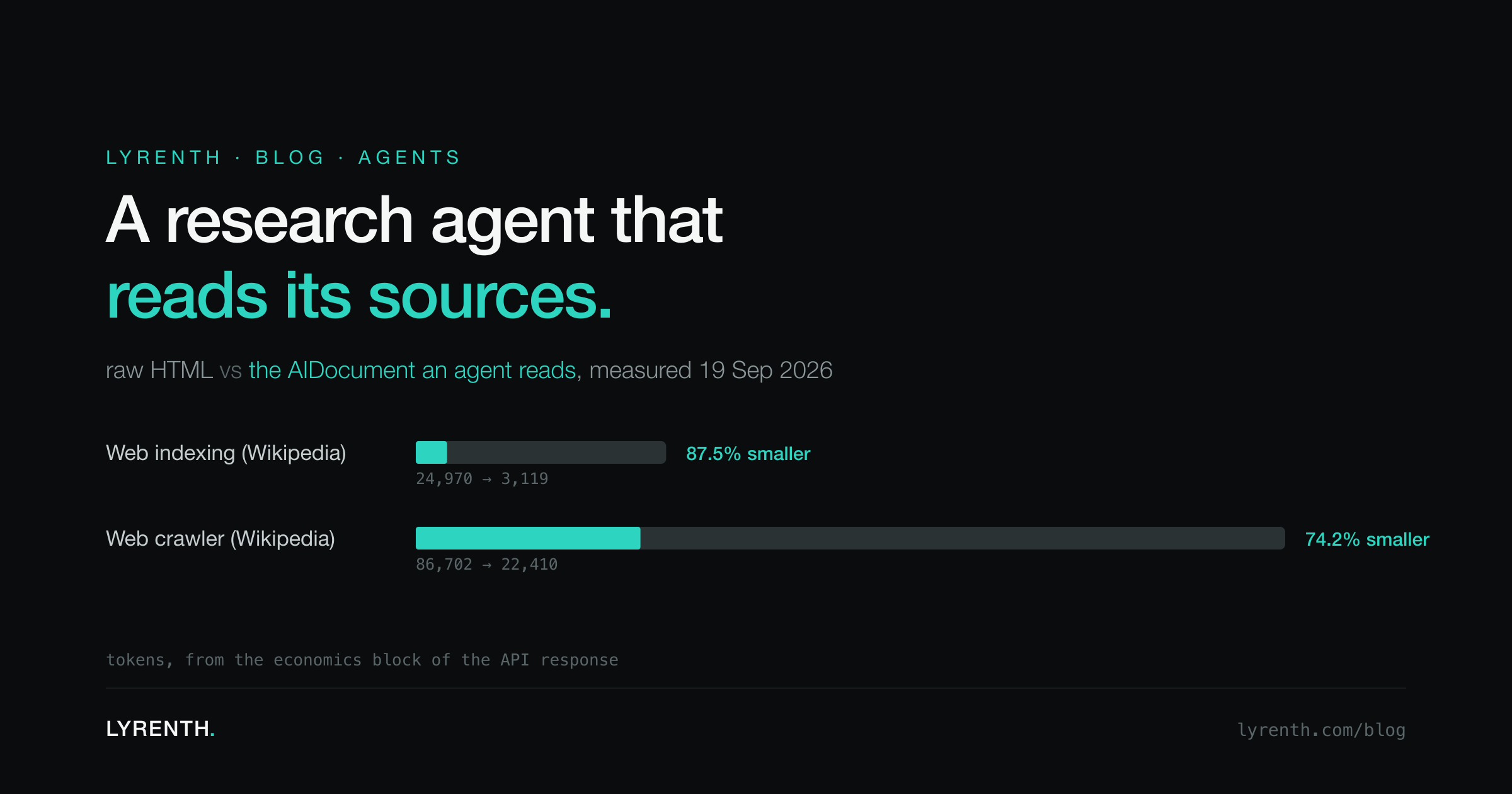
Everything the list promised is visible in those lines. The missing page was skipped with a reason. The mobile URL was recognized as the article already read. The robots.txt article was left out because adding its 16,719 tokens would have broken the 30,000-token budget. And the two sources that made it in cost 25,529 tokens, against 111,672 if the same two pages had been handed to a model as raw HTML.
What the numbers teach
Look at the two sources side by side.
| Source | Raw HTML | AIDocument | Smaller by |
|---|---|---|---|
| Web indexing (Wikipedia) | 24,970 | 3,119 | 87.5% |
| Web crawler (Wikipedia) | 86,702 | 22,410 | 74.2% |
Measured via the economics block on the API response, September 19, 2026. Token counts are the API's estimates.
Two lessons follow. First, cleaning is not the end of the budget
problem. The crawler article is 22,410 tokens even as clean text,
because it is a long article. A research agent that reads six sources
of that size is already at 130,000 tokens before it writes a word. The
budget line in gather is not an optimization; it is what keeps one
long source from crowding out three short ones.
Second, the saving varies a lot by page. A short article inside a heavy page template saves the most. A long article in a light template saves less, because most of what was there was already the article. Measure your own sources rather than assuming a fixed ratio; the API returns the numbers with every response, which is what the budget logic above relies on. We looked at this across many kinds of pages in the token economics of RAG over the live web.
From sources to an answer
With the sources gathered, the last step is building the context your model reads. Keep it boring and explicit:
def build_context(sources):
    parts = []
    for i, s in enumerate(sources, 1):
        parts.append(f"[{i}] {s['title']}\nURL: {s['url']}\nRead: {s['fetched_at']}\n\n{s['text']}")
    return "\n\n---\n\n".join(parts)

prompt = (
    "Answer the question using only the numbered sources below. "
    "Cite sources as [1], [2]. If the sources do not contain the answer, say so.\n\n"
    f"Question: {question}\n\n{build_context(sources)}"
)
Send prompt to whichever model you use. Three rules make the answers
trustworthy:
- Number the sources and require citations by number. It is then trivial to check every claim against the text you actually gave it.
- Give the model permission to say "not in the sources". Without it, a model fills gaps from memory and the citations stop meaning anything.
- Keep the read time in the context. When a user asks about something that changes, the model can say how fresh its information is. Our post on freshness goes deeper on when a stored page is good enough.
Where the URLs come from
This post starts from a list of URLs on purpose. Your agent might get them from a search provider, from the user, from links inside the pages it has already read, or from a curated list of trusted sites for your domain. The reading layer does not care, and it should not: finding and reading are separate jobs, and keeping them separate means you can change one without breaking the other.
If you use an MCP client such as Claude or Cursor, the same reading step is available as a tool without writing any code; see adding web reading to Claude and Cursor.
The whole agent from this post, with the answer step, a command line and tests, is open source under the MIT license: github.com/lyrenth/lyrenth-research. Bring your own model; it works with any OpenAI-compatible endpoint, including local ones.
The research agents that feel smart are rarely the ones with the cleverest prompt. They are the ones that read carefully, remember where everything came from, and admit when a source could not be read. That part is 50 lines. Start with the quickstart and point it at the sources your users actually care about.