September 15 has passed: what actually changed for AI crawlers and agents
Cloudflare's new defaults are live. What changed on September 15, who it hits, the Googlebot trap for site owners, and what agent builders should check now.
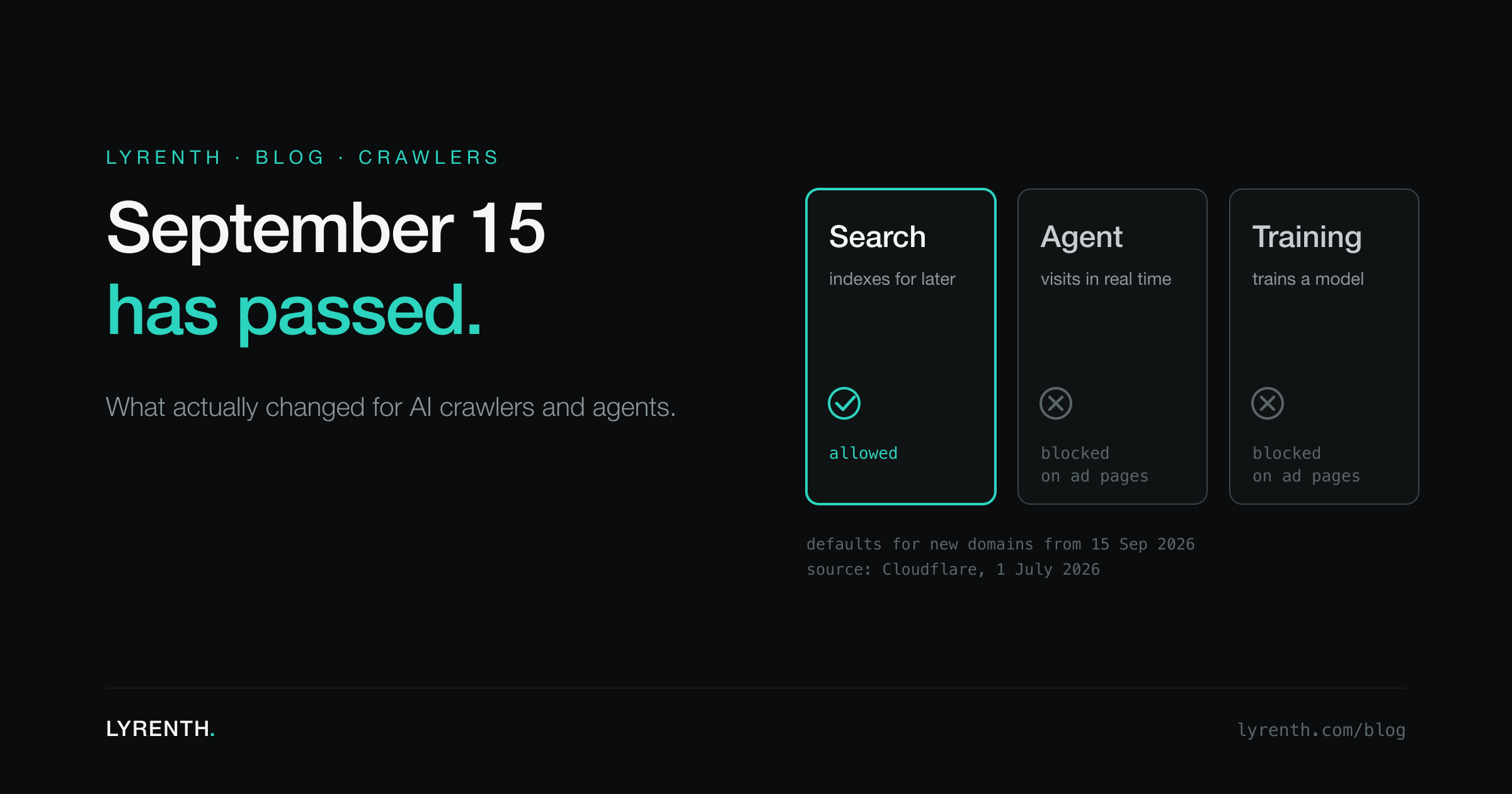
We spent August counting down to this date. In September 15 is coming we explained what Cloudflare announced, and in the readiness checklist we listed what agent builders should verify before it arrived. The date has now passed. This post is the last one in that series: what actually changed, read from Cloudflare's own announcement rather than from predictions, and what is worth doing about it this week.
What changed, in Cloudflare's words
Cloudflare published the plan on July 1 in Your site, your rules. Three things in it took effect on September 15.
1. AI traffic is now sorted by what a bot does, not by whether it is "AI". There are three categories that every customer can manage, including on the free plan:
- Search: a bot that collects or indexes content so it can answer questions about it later. Cloudflare's definition is that Search is "proactively building a database of your site to later respond to queries with."
- Agent: automation acting in real time on a person's behalf, "often there's a human waiting on the other end". Chat fetchers and browsers driven by an assistant fall here.
- Training: a crawler taking content to train or fine-tune a model.
2. New defaults for new domains. For every domain newly onboarded to Cloudflare, Training and Agent are blocked by default on pages that show ads. Search stays allowed by default. The reasoning Cloudflare gives is simple: an ad signals that the owner wanted a person to see the page, so bots that may take that attention away are kept off it.
3. Multi-purpose crawlers are judged by their strictest purpose. A crawler that does both Search and Training is now allowed or blocked according to all of its behaviors. Cloudflare names Googlebot, Applebot and BingBot as examples. On a site that blocks Training, those crawlers are blocked too, unless the owner opted out of the change in their security settings.
Two smaller changes arrived with it. The "Verified" label no longer means
"allowed by default"; a verified bot is now allowable within its
category, and the category the owner allows decides. And Cloudflare is
testing a fourth robots.txt Content Signal, use, with three levels:
immediate (interact but store nothing), reference (index, excerpt and
link back) and full (summarize and reproduce). Sites on Cloudflare's
managed robots.txt now carry use=reference by default.
The trap for site owners: blocking Training can block Google
This is the change most likely to cost someone traffic without them noticing. If you switched on a Training block at any point, including the older one-click "Block AI bots" option, the strictest-rule policy now applies it to Googlebot, BingBot and Applebot as well, because each of them also crawls for training. Search Engine Journal reported the effect before the date: verified Googlebot requests returning 403 on sites that had only meant to block training.
What to check, in this order:
- In the Cloudflare dashboard, open the AI traffic settings and see what Training is set to. If it is blocked, decide deliberately whether you accept Googlebot being blocked on pages with ads.
- If you want Google Search but not training, look for the opt-out that keeps multi-purpose crawlers on their previous behavior. Cloudflare describes it in the same announcement.
- Look at your bot traffic for the last few days. A sudden drop in Googlebot requests, or a rise in 403 responses to it, is the symptom.
- Check Google Search Console for crawl errors on pages that carry ads.
Nothing about this is permanent. It is a setting, and the point of the new model is that you choose. The risk is only in not knowing it applies to you. Our guide to the bots reading your site covers how to see who is actually visiting.
What it means if you build agents
The new taxonomy draws a line that matters for anyone whose product reads the web.
If your agent fetches a page live, at the moment a user asks, it is doing what Cloudflare calls Agent behavior. On newly onboarded domains, that is now blocked by default on any page with ads, which covers a large share of news, recipes, reviews and other ad-supported content. Your agent will not fail everywhere, and it will not fail on sites that have kept their old settings. It will fail more often, and in places that worked last month.
If your agent reads from an index that was built ahead of time, the page was collected by a crawler whose job is to index content for later queries. By Cloudflare's own definition that is Search behavior, and Search is the category that stays allowed by default. The distinction is not a loophole. It is the exact line the new model is designed to draw: building a database of a site to answer questions later, and sending people back to it, is treated differently from visiting a site in real time instead of a person.
This is how Lyrenth works for readers of its API. Pages are indexed ahead of time by our crawler, which identifies itself and publishes how it behaves at /bot, and your agent reads the stored AIDocument rather than visiting the site. When a page is not in the index yet, it is fetched once, stored, and served from the index to every caller after that. We describe that path in crawl on miss, explained.
Whatever you use, three checks are worth running this week:
- Watch your failure rate by domain, not in total. A new block shows up as a handful of domains going from working to failing, which an overall success rate hides.
- Treat 403 and challenge pages as a distinct outcome. A block is not a network error, and retrying it makes things worse. Log it as a block, surface it to the user, and move on to the next source.
- Decide which of your reads need to be live. Most do not. A pricing page checked once a day, a documentation page, an article from last week: all of these can come from an index. Keep live fetching for the few cases where seconds matter, and identify yourself honestly when you do it.
What to expect next
Cloudflare's announcement says two more things are coming. First, it wants companies that run one crawler for several purposes to split it into separate crawlers, one per purpose. So far no major search engine has announced a split, and until one does, the Googlebot trap above stays live for anyone who blocks Training.
Second, Cloudflare is moving its paid-access program from paying per crawl toward paying per use, so that a site is compensated when its content is actually used in an AI answer rather than when it is fetched. That is a larger shift than the defaults, and it is the one we will be watching.
The broader direction is clear, and it is one we agree with. The web is moving from "every bot is the same" to "every bot must say what it is for", and sites are being given the controls to answer each purpose separately. For site owners, that means a few minutes in a settings page this week. For agent builders, it means the difference between reading the web and visiting it is no longer academic.
If you want to see how a page looks to an agent reading it from an index, paste any URL into the reader on the Lyrenth homepage, or start with the quickstart.